
Today
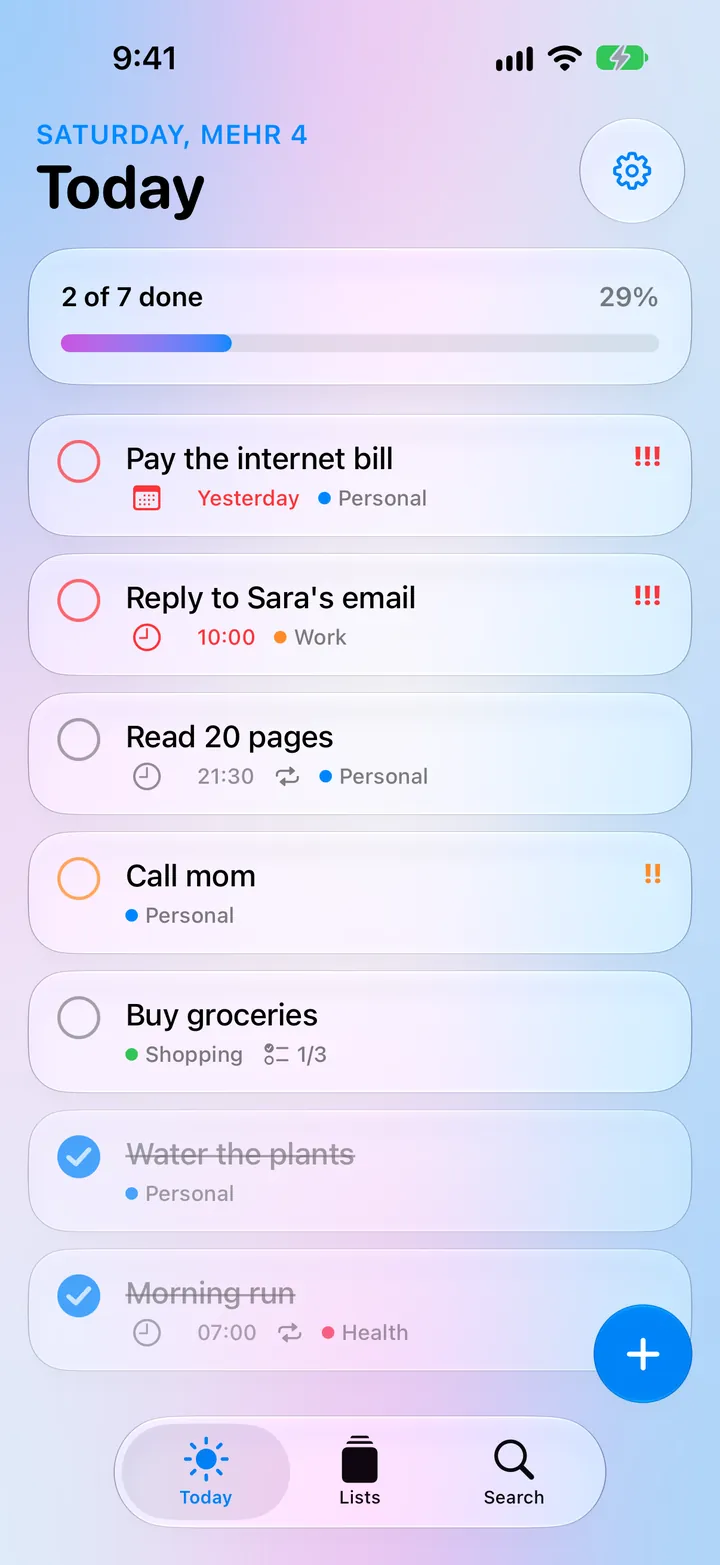
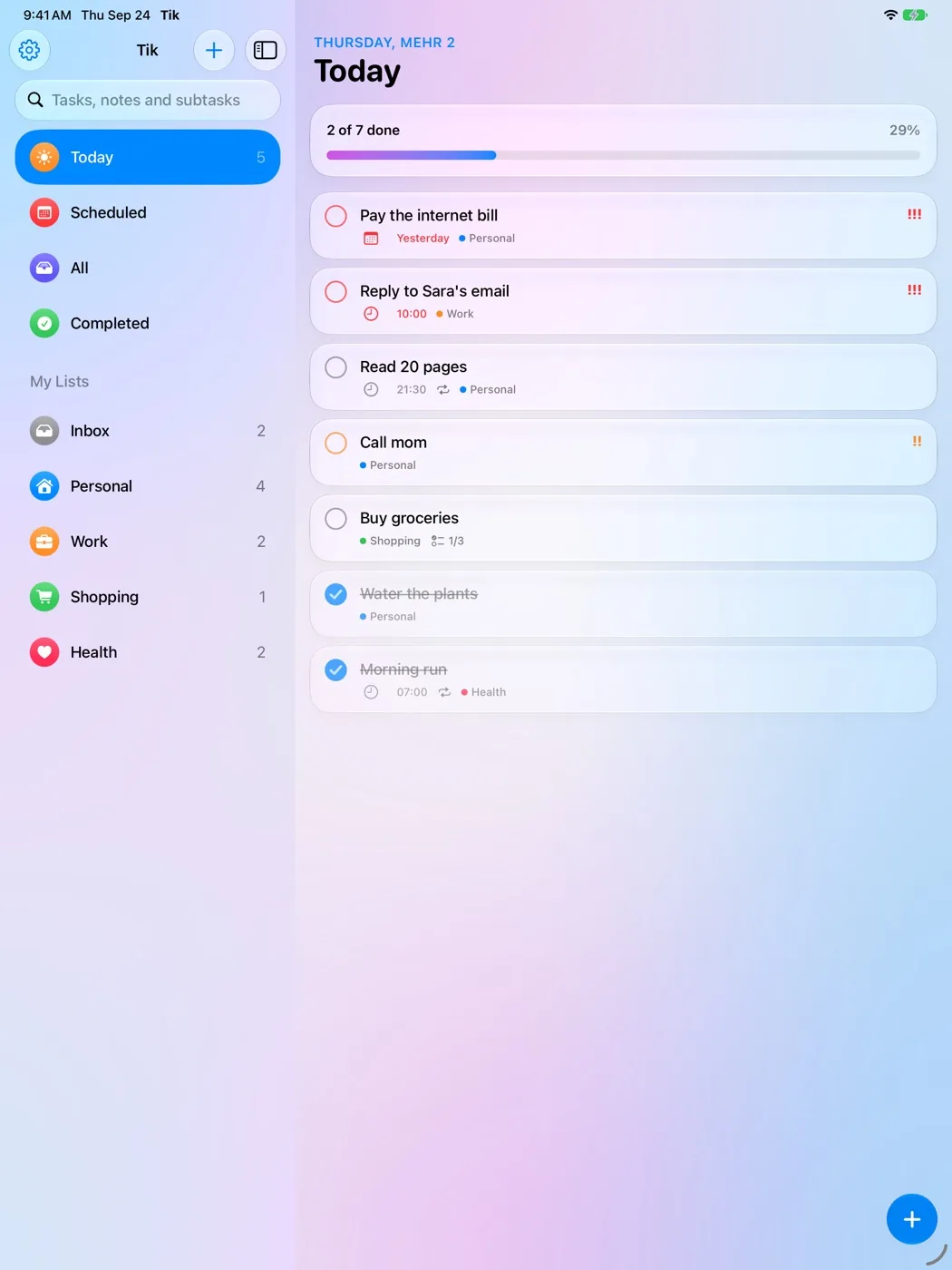
What's due today and anything that's late, with a progress bar. Done tasks slide to the bottom, and the last one of the day gets a burst of confetti.
 Free for Android and iPhone
Tik is a simple, glassy to-do app for your day. See what's due today, tick it off with one tap, and watch the progress bar fill up. In English and Farsi, with the Shamsi calendar.
Free · No account · No ads
Saturday, Mehr 4
Today
Tap a task to tick it. Tap + to add your own.
Light or dark, English or Farsi, iPhone or Android: you choose.
Tik is simple, but it has everything you need to keep your day in order.
What's due today and anything that's late, with a progress bar. Done tasks slide to the bottom, and the last one of the day gets a burst of confetti.
The glass + button melts into a text field and stays open after each task, so you can type a whole day in one go.
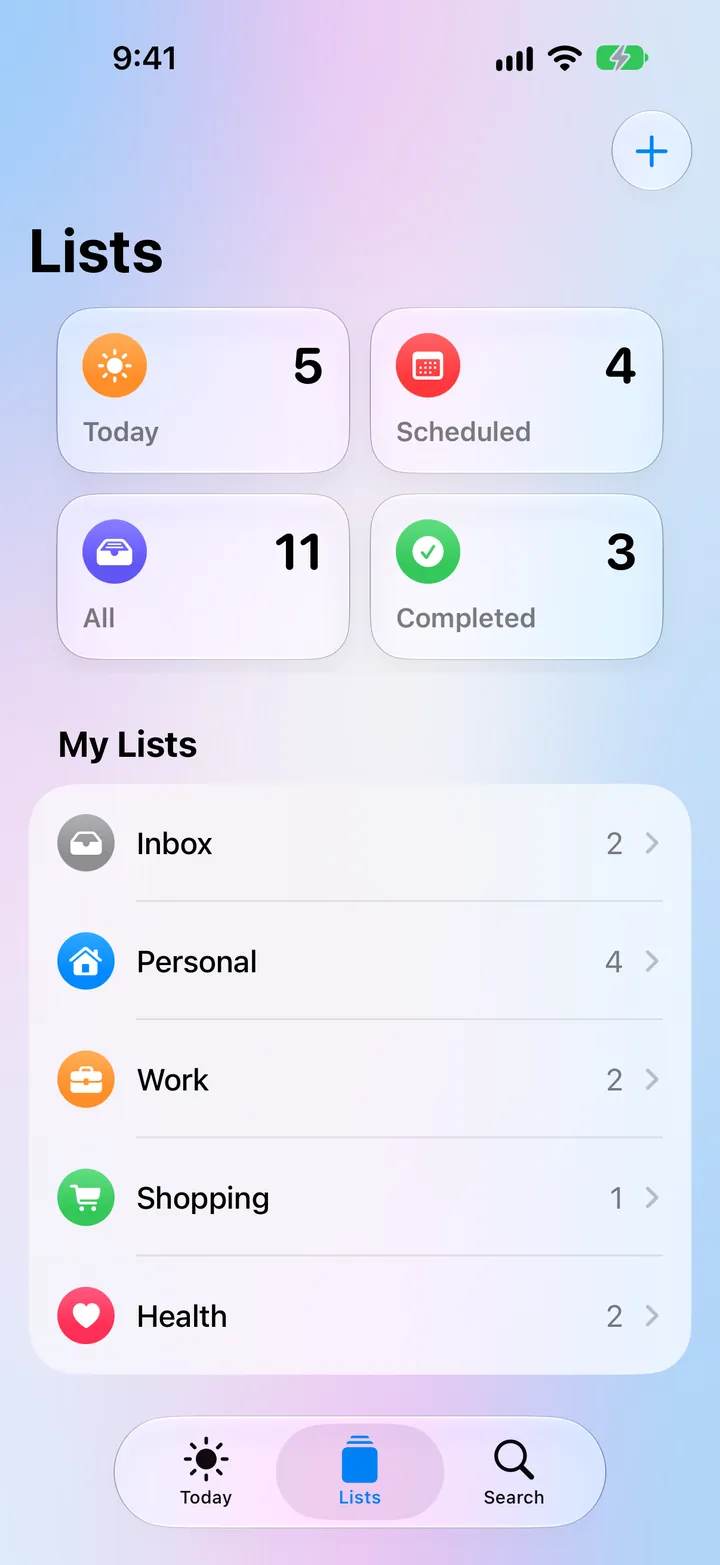
An Inbox and your own lists with a color and an icon, plus smart lists: Today, Scheduled, All and Completed.
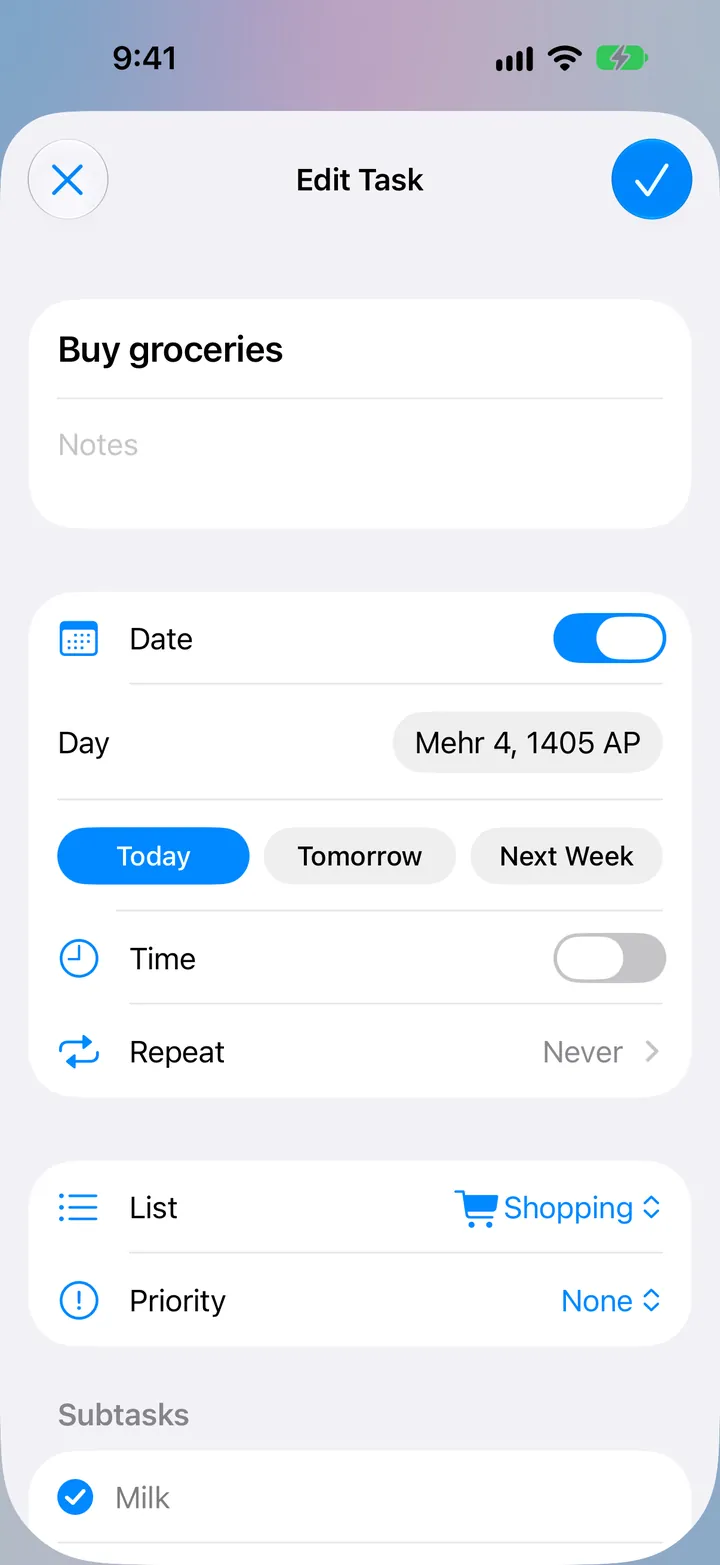
Notes, subtasks, a day and a time, priority, a photo, and repeats: every day, certain weekdays, every few days, every week, month or year.
Notifications with Mark as Done and Remind Me in 10 Minutes buttons that work without opening the app.
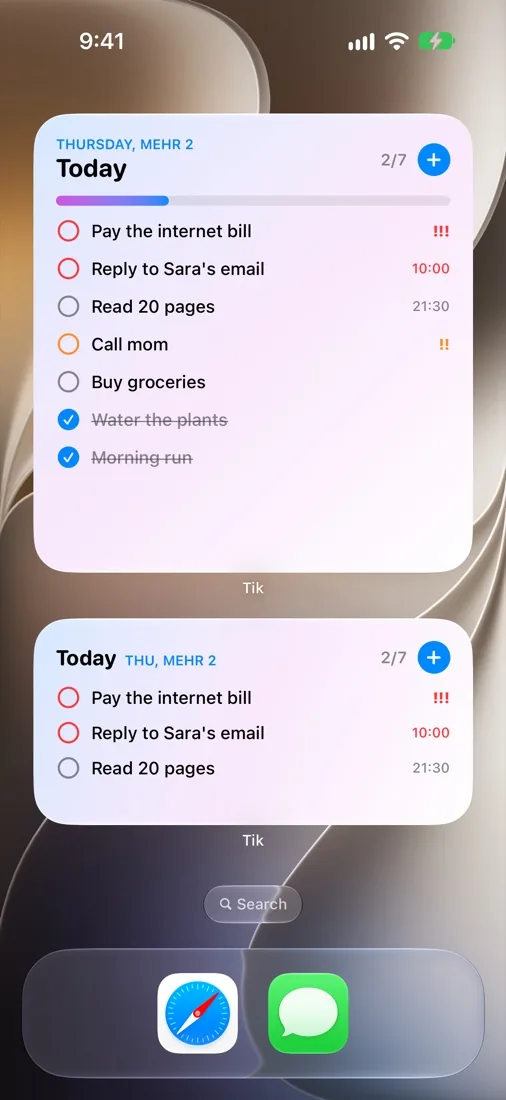
Today's tasks on your Home Screen. Tick them right there.
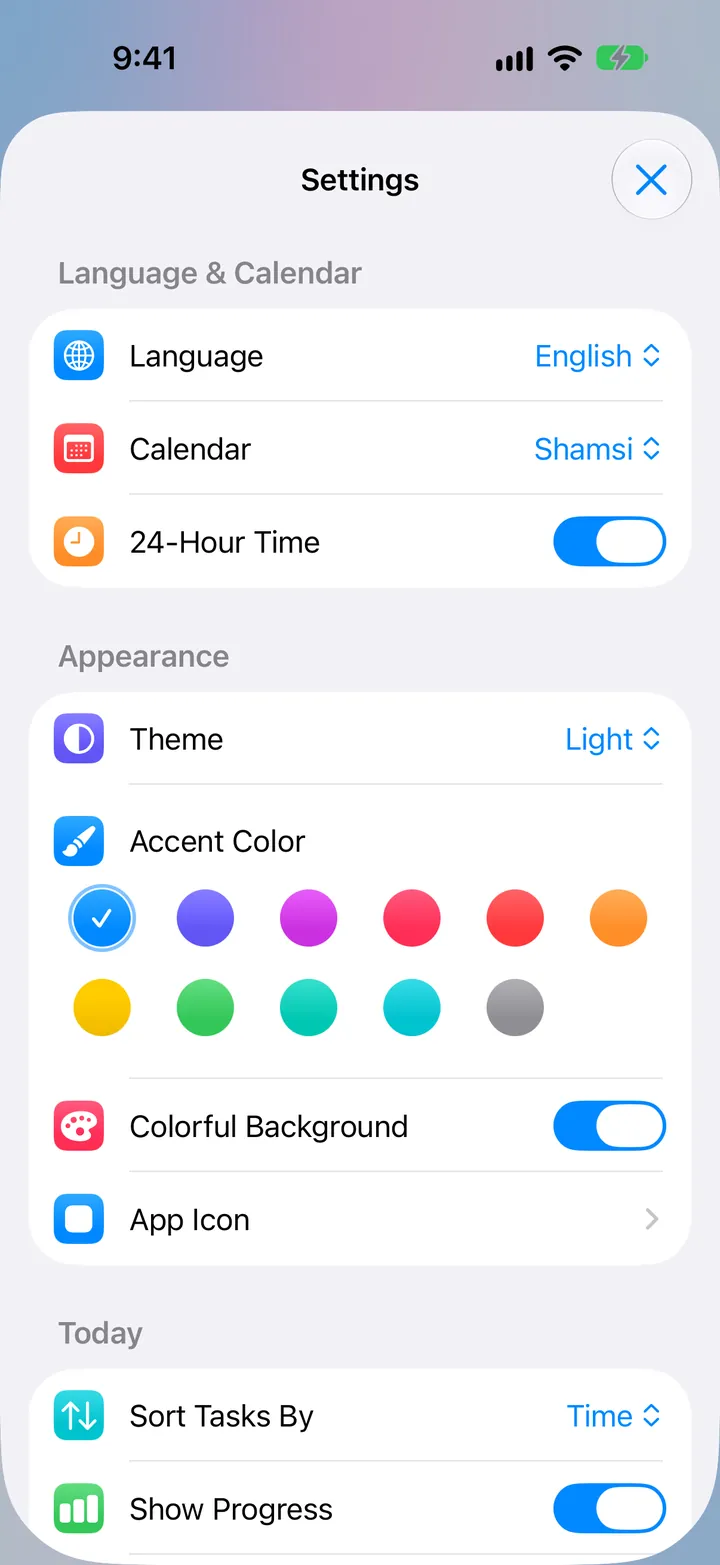
Switch the language inside the app, whatever your phone's language is. Farsi is fully right-to-left, with the Vazirmatn font.
Shamsi is the default and weeks start on Saturday. The Gregorian calendar is one tap away.
Light or dark, 11 colors, 6 app icons, haptics and sounds. Turn off any task detail you don't use.
The bars and buttons are made of glass: whatever scrolls behind them softly blurs.
A floating tab bar on phones, and a sidebar with search on iPad and tablets.
No account and no internet. Your tasks stay on your phone.
Free. No account, no ads.
Android 8 or newer · phones and tablets
This is the same file as the official release on GitHub. You can also download it from the GitHub release page.

On a computer? Scan this code with your phone's camera to open this page there.
iOS 27 · free with Xcode
Tik isn't on the App Store, but you can install it for free with Xcode on a Mac. With a free Apple ID it runs for 7 days; then plug your phone in again and press Run. Your tasks stay where they are.
Get Tik for iPhone on GitHubYes, completely. No ads, no account and nothing to buy inside the app.
Only on your phone. Tik never connects to the internet; the Android app doesn't even have permission to use it.
If your phone's own backup (Google or iCloud) is on, it may back up Tik's tasks too, like it does for other apps.
No. Tik works fully offline. You only need the internet to download it.
Tik is a free, personal project and isn't in the stores yet. Download the Android app from this page, and install the iPhone app for free with Xcode.
Android shows this for every app that doesn't come from Google Play. Tik's file is the same file as its official release on GitHub, and its code is open for anyone to read.
If you want to check the file, this is its SHA-256 fingerprint:
33c18478b65011fc78e891a89a238c1e825bcdf0cd006a2d317413bdc1f59429Android 8 or newer, on phones and tablets. iPhone and iPad with iOS 27.
Android: download the new file from this page and install it. It installs over the old one, and your tasks stay.
iPhone: get the new code from GitHub and press Run in Xcode again.